10 FREE Tools I Use As A Freelance Business Owner in 2026
- Lisa La Colla
Recently, the CEO of Podia (the platform where my website is hosted) sent out a newsletter.
He said that no matter what field we work in, people are always curious to know what’s going on behind the scenes — how we actually run our businesses.
It got me thinking.
It’s been almost two years (and four different websites) since I started my online business Storytelling With Love.
And let me tell you, it’s exactly what I always dreamed of — (nightmares included).
When I started, my technical skills were basically limited to Word, Final Draft, and Premiere Pro.
I literally had no idea about websites, DNS, domains, email marketing, or anything like that. Everything I know now, I learned on the job.
So today, I’m taking you behind the scenes to show you exactly what I use to run my business.
1. Register
If you’re going to have a website, you’ll need a host provider.
In simple words, it’s a platform where you can get:
Your domain name – the name of your website:
www.storytellingwithlove.comYour email address connected to the domain:
lisa@storytellingwithlove.com
Register Prices:
It’s basically free for the first year, though the price can vary depending on the domain name you want (mainstream names may cost a bit more).
Afterwards, you just renew every year for about €50–€60.
2. Podia
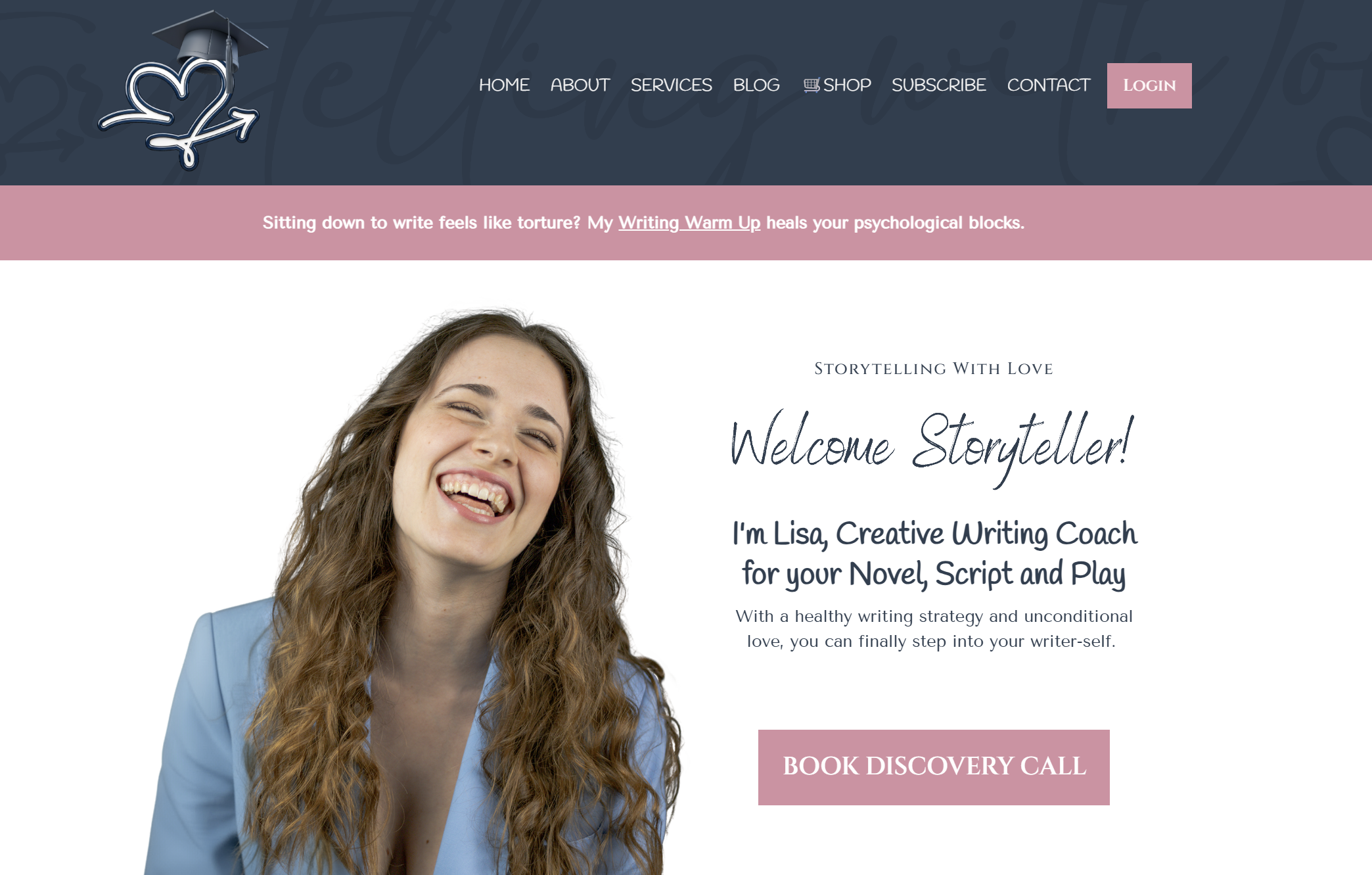
My business wouldn’t be what it is without Podia.
Short backstory:
In February 2025, after WordPress lost my first website (with no chance of recovering it…), I decided to move on.
I wanted a CMS that would allow me to build my coaching courses, mentorships, and more — without any coding.
My dream was to have that magical “Login” button right on my website so students could access their courses directly.
When I asked Perplexity to research alternatives for me it found multiple good options. I finally chose Podia because it basically had everything in one place.
Here’s everything I do on Podia:
👉 My Website
Podia has its own website builder. It’s intuitive, customizable, and easy to use.
The first night I tried it, I built my homepage in about two hours — not counting the following two years that I spent changing it again and again.
The builder isn’t as customizable as other platforms like WordPress, Showit, or Squarespace — but honestly, that’s a pro for me. I already lose enough time playing with design options.
Another great thing about my Podia website: it’s completely original — built from scratch, with no templates. I don’t have anything against templates, but I honestly can’t stand the idea of so many web designers charging thousands while reusing the same two layouts again and again for different clients.
👉 My Courses
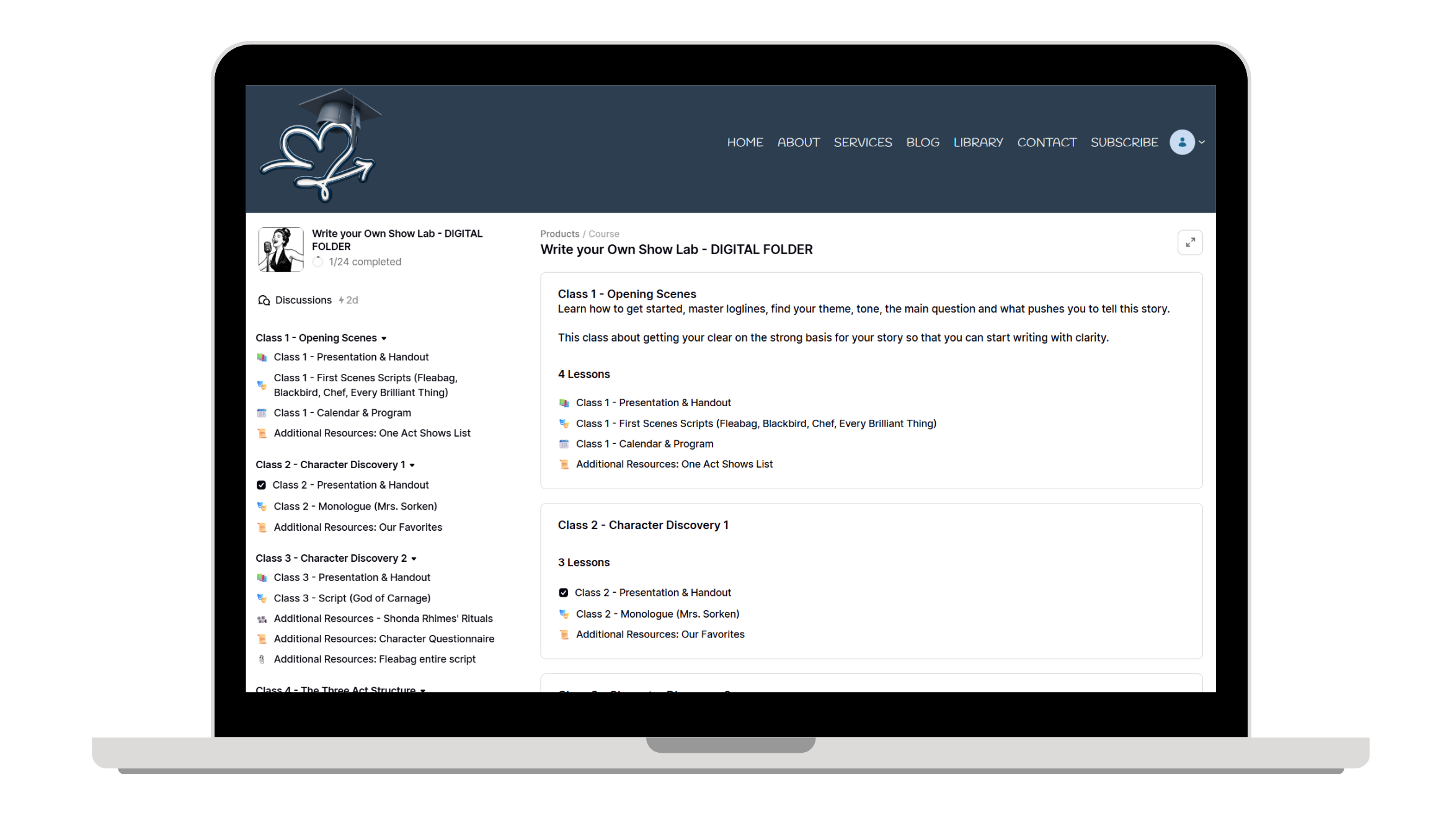
Podia comes with a course builder that’s easy to set up, looks clean, and is efficient.
Students can create their own accounts, login (my dream feature!), and directly access the course they’ve purchased.
I can upload lessons, worksheets, PDFs, videos — even Canva presentations.
Students can also upload their own material, and there’s a Discussion section where we can talk directly.
Here’s how my recent “Write Your Own Show Lab” course folder looks like 👇
👉 Email Marketing
If you’ve ever joined a real digital marketing course (not an influencer/“Insta guru” type), the first thing they’ll tell you is this:
Your email list is your money magnet.
Not your Instagram. Not your Threads. Not your TikTok.
Here’s why: you don’t control social media platforms — they can change rules any time.
But you do control your email list. That list belongs entirely to you.
What’s an email list?
It’s a collection of email addresses you’ve gathered in a legal and ethical way — through what we call lead magnets (I’ll cover those in another article).
You never buy or trick your subscribers, because that’s not only wrong, it’s actually against the law.
As a general rule, keeping in touch with your list once a week via your newsletter is ideal.
You’ll also send: pre-launch and launch emails, marketing or discount emails, welcome sequences, and announcement emails.
Podia includes two great built-in tools for this:
Email Broadcasts: pick your newsletter template (super customizable!), write your text, and schedule it. Every Monday, even if my laptop is off, my email list still gets my newsletter “The Monday Morning Spark”.
Email Campaigns: these are automated sequences — for example, a welcome series for new subscribers. Someone signs up → gets a welcome email → two days later receives another → and so on. I use this for new subscribers and upcoming product launches.
👉 My Blog
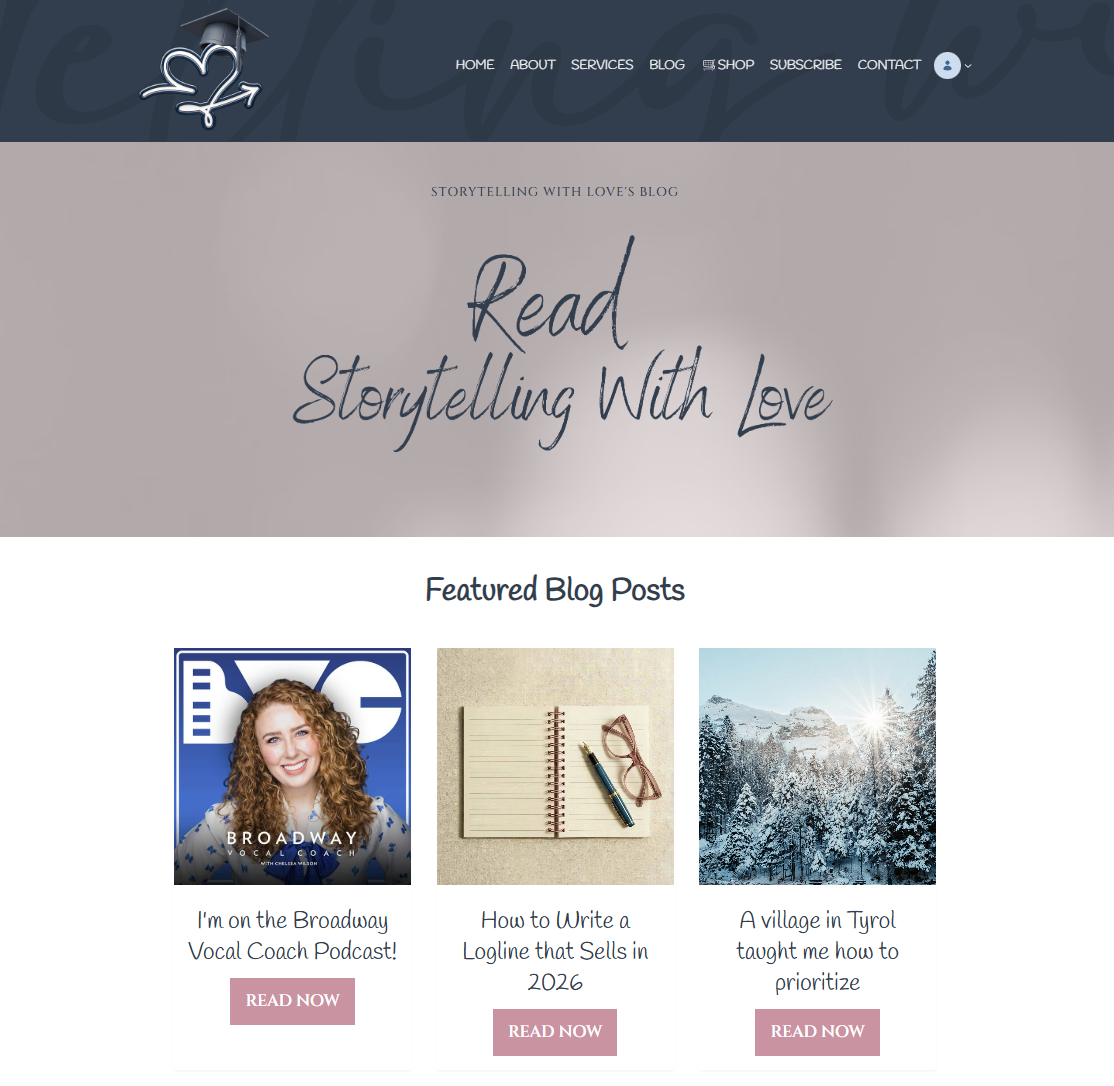
“Blogging? Isn’t that so 2000s?” — that’s what I thought, too.
Until I realized in 2026 you still need a blog to sell.
Podia has its own Blog Builder with everything integrated:
A Blog Index (like your blog homepage)
Why do you need a blog today? Two main reasons:
-
You can show your expertise.
In any field, your audience wants to see your values, voice, and methods.
Writing articles helps people feel what you stand for.
As one of my students told me recently: “You’re not showing off if it’s based on facts.”It’s also smart to end each article with a short intro about yourself and a newsletter sign-up section.
-
It leads people to your website.
Even now, with Google AI taking over search results, Google research still works the same.
Many people are tired of quick AI summaries; they want depth and real insight — exactly what your potential clients look for.
Blogging is great for SEO. When your ideal client types a question in Google, your blog can be what leads them straight to your website.
It happened to me with Between the Lines Copywriting blog — I searched “how to write for my dream client,” and Google brought me directly to her website. So trust me, blogs still matter.
BTW: You're inside SWL Blog right now!
👉 Courses on how use Podia and Marketing
If you ever need help learning how to use Podia — they’ve got your back.
Their YouTube Channel is a true treasure.
I basically learned most of what I know about online courses, email marketing, and digital launches from their tutorials.
And a special shoutout to Nicola from Podia — if she ever reads this, I owe her so much. Her video tutorials genuinely changed my business (and probably saved it).
👉 Checkout (Integrated)
Podia has its own integrated checkout page, which is super easy to use.
After a client pays, they’re automatically redirected to their product — this can be a digital download, coaching session, or online course.
However, I have to be honest:
The design of the checkout page is not my favorite. While it works flawlessly and clients stay within my website, its visuals could be more charming. (Hello, Thrivecart!) That’s why I don’t use Podia’s checkout directly.
To actually receive the money, you need to connect Stripe anyway — which brings me to my next tool.
Podia prices:
You have 30 days of free trial, and you can already start selling!
Then you can switch to Mover ($33/mo) or Shaker Plan ($75/mo).
👉 Click here to start your Free Trial on Podia.
3. Stripe
If you’re going to sell anything, Stripe will be your payment home.
As a client, you’ve probably used it hundreds of times without realizing it.
Stripe processes payments and makes sure you actually receive the money your client pays for.
I also use the Stripe Checkout Link option, which means Stripe creates a checkout page link for each offer.
So, for example, Podia is my “shop window” — where I show my products — and Stripe Link is where clients actually pay through that dedicated link.
It looks professional, customizable, and clean. Here’s it looks like:
Writing Warm Up Sales Page
Writing Warm Up Checkout Link
Stripe prices:
Stripe is free for most basic features, but they take a fee from each transaction — which is standard for payment processors.
4. Calendly
If part of your business involves talking directly to clients — coaching sessions, mentorship calls, discovery meetings, in-person meetings — Calendly is the best tool for you.
Calendly allows people to book sessions with you easily. It can be for in-person meetings or online calls, and when you connect Zoom or Teams, the platform automatically creates the meeting link for you.
Why do you need it?
Because it saves both you and your clients a ton of time.
Let’s be honest — people don’t want to spend their day writing emails back and forth trying to find the “perfect time” to meet with you.
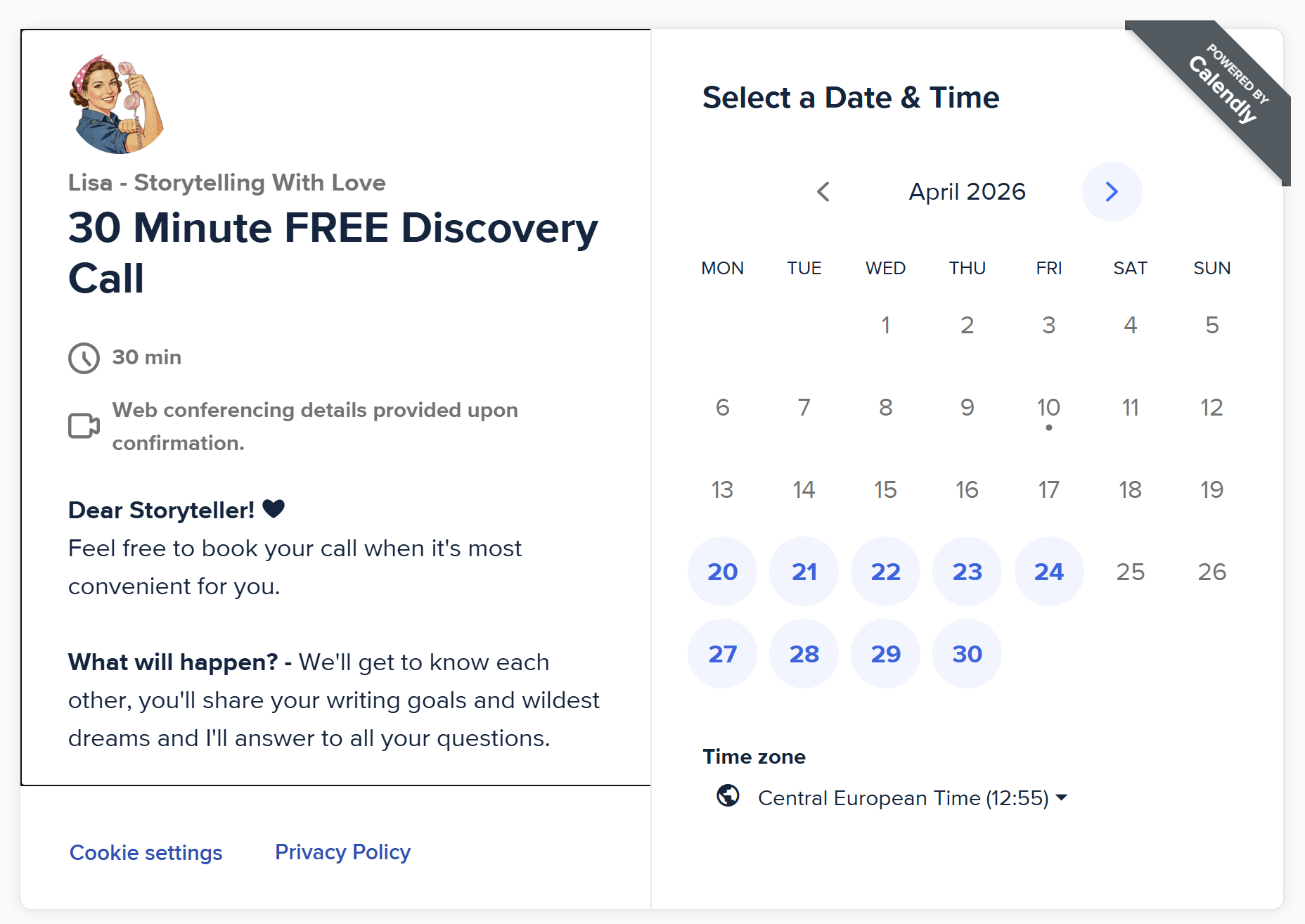
With Calendly, your clients simply open your booking page, check your availability, and reserve the slot that works for them.
My favorite feature is that Calendly syncs with your personal calendar — mine is Google Calendar.
This means that when someone views your availability, they can’t see your private events (like your Wednesday doctor’s appointment at 16:00). They only see that the time slot is unavailable and choose a different one.
Once your client books a time, the appointment appears on your Google Calendar automatically — no manual work needed.
Calendly also sends reminder emails both to you and to your client before the meeting, and you can fully customize the messages if you want.
I personally use two different Calendly setups:
Book your Power Call (You get access to this link after purchasing it)
Book your Free Discovery Call👇
Calendly Prices:
If you use only one calendar, you can stay on the free plan.
If you want to use more than one (like me), you’ll need to upgrade — which is why I keep two different accounts under two email addresses (think smart😏).
5. Canva
Canva is just…Canva. I wouldn’t know how to describe it. It’s your game box, your design ally, your life-saver, your female energy (no wonder it was created by a woman!!).
Anything connected to design, try Canva and your life won’t be the same.
My main uses of Canva (though they’re limitless):
Create my business cards
Erase background from my pictures in one touch
(there’s no other tool or software in the world that works like Canva for this!!!)
Create my Course Presentations (with embed Videos, which is great for someone who teaches Screenwriting like me)
Record my Online Courses Classes (watch one for free here)
Specific designs for my Courses
Social Media posts, reels and stories
Canva Prices:
You can get the free version and create a lot. But I do have the Premium Version (€12/mo) so that I can access to the high quality features.
6. Zoho
One of my absolute favorite things in the world? Sending invoices to my clients.
Sometimes I honestly believe this is the real reason I became a freelancer.
Having the power to choose your prices and send a legal document that acknowledges it.
WOW.
Best feeling in the world (okay, in the biz world).
For more than three years, I used Canva to prepare my invoices.
I had a template ready — I’d just change my client’s name, product, and price every time.
(You could also use Word, as long as you always check with your tax consultant that you’re including the correct legal text!!!)
But as Storytelling With Love grew, doing it manually started to feel like too much.
So, I switched to Zoho and created a free account. I designed my own invoice template, and now every time a client purchases something, an invoice gets automatically created on Zoho with their details and product info — and it’s instantly sent to them by email.
There’s one key thing to know here:
To make this process automatic, you need Zapier (which I’ll talk about in a minute).
⚠️ It’s important not to confuse this with Stripe’s own automatic payment receipt. When a client buys something through Stripe, they’ll always receive a standard confirmation email from Stripe — but that’s just a receipt of payment.
It doesn’t replace a proper invoice or legal document from your side.
Zoho Prices:
Stripe also offers an invoicing feature, but they charge a small fee per invoice — which is why I prefer using Zoho in its free plan.
7. Zapier
At the beginning, I really couldn’t understand what Zapier was.
Every now and then, I’d see this pop-up: “Do you want to trigger Zapier actions?”
And honestly, after Drama School surrounded by Gen Z classmates, I had developed a personal allergy to the word “trigger.”
Until I realized that Zapier is nothing short of modern magic.
Here’s how I use it in my business:
To connect client purchases to Zoho: whenever a client buys something, Zapier tells Zoho to automatically create and send the invoice with all their data.
At events: I once hosted an in-person event where participants took a fun quiz (I built it with Interact), and Zapier automatically collected their data into a Google Sheet. That way, I could keep track of their email addresses and add them to my mailing list later.
(By the way — quizzes are fantastic, totally legit lead magnets!)
Whatsapp reminders: I even set up Zapier to send me a WhatsApp notification right after a new purchase, just to keep me updated in real time.
Zapier also has its own AI assistant, which means you don’t have to be a tech whiz to use it.
You simply create what they call Zaps (automated workflows) by chatting with their setup box — it helps you connect apps step by step.
Zapier Prices:
I personally use the paid version (€26,54/mo) because the free plan has some limitations, but if you’re just starting out, you can absolutely try the free one and experiment. It’s the kind of tool that grows with your business — and once you start automating things, you’ll never want to go back.
8. Jotform
You know when you stumble upon a website you really like and decide to get in touch? You head to the Contact page, fill out a quick form — and voilà, that’s called a contact form.
My website provider Podia doesn’t have built-in forms.
BUT it does allow you to embed practically anything.
For a long time, I used Tally (the free version). I also considered Typeform, which creates beautifully designed, high-end forms — but anything beyond the very basic features requires a paid plan.
And, of course, it wouldn’t be me if I didn’t try to make my life a little more complicated — so I recently switched to Jotform for three main reasons:
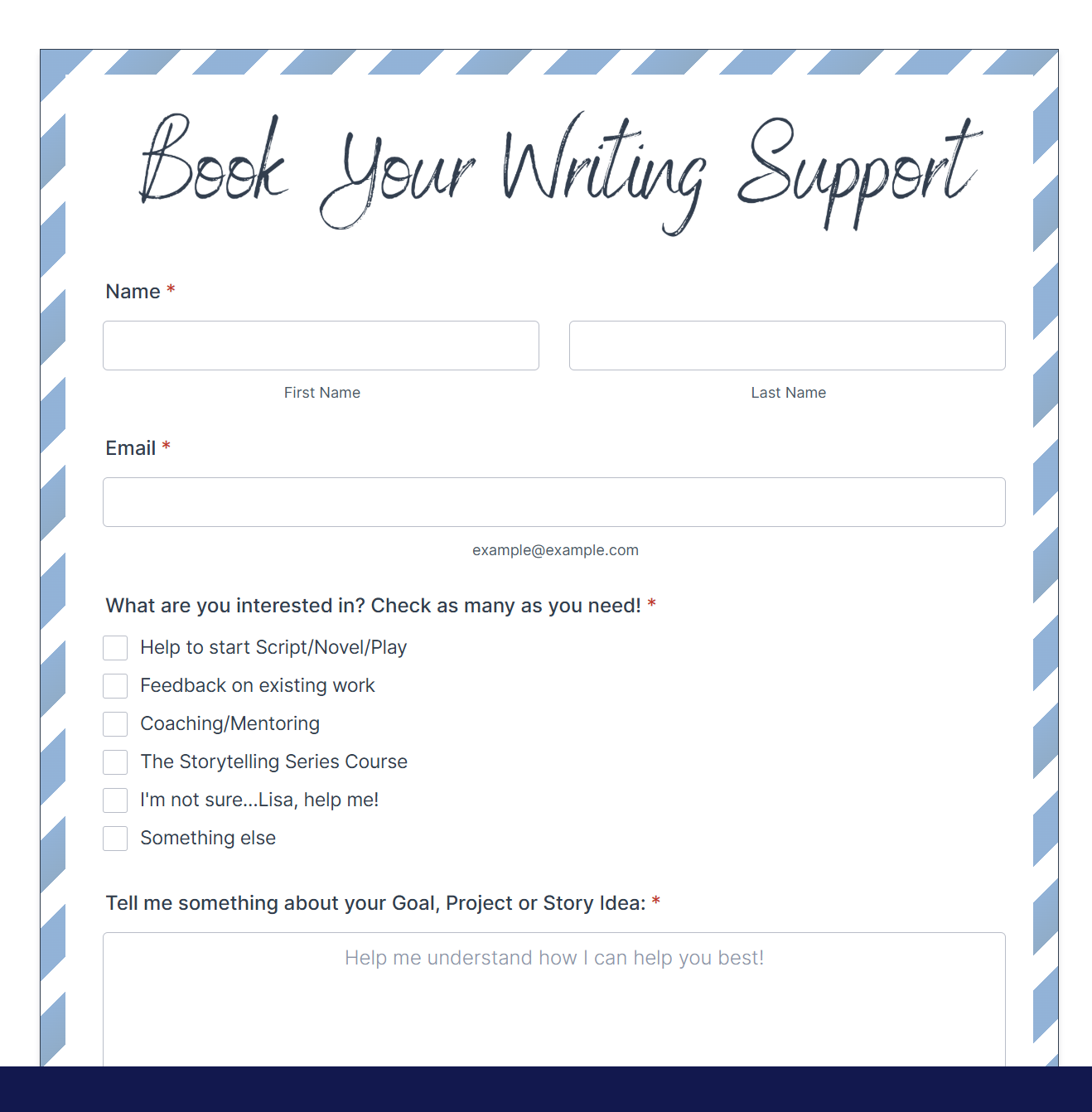
I completely fell in love with one of their letter-style template (see above).
The free version includes an impressive number of features: it sends me both an email and a WhatsApp notification each time someone fills out a form, and I can even customize the automatic email that my clients receive right after submitting.
Jotform also includes its own AI chatbox, which helps you design a form step by step — and even a dedicated design chat specifically for layouts and aesthetics (which, let’s be honest, is my obsession).
Jotform Prices:
With the Jotform free plan you have access to so many features than in other form builders you'd have to pay for!
Their advertising is slightly stronger than Tally’s, but honestly — I couldn’t care less. The value is absolutely worth it.
9. Substack
This is the only “social media” that I have ever truly liked.
If you know me, you know I’ve always struggled with social media.
Logging into Instagram gives me an accelerated heartbeat and a tight feeling in my chest. I’ve tried to fight it, force myself to like it, experiment with different ways of using it — but nothing works.
I just don’t get it.
Substack, however, feels different.
(That said, I still removed the app from my phone — because I don’t enjoy spending time on the toilet scrolling through people’s random thoughts. Even if, admittedly, those are more interesting than scrolling pictures and videos).
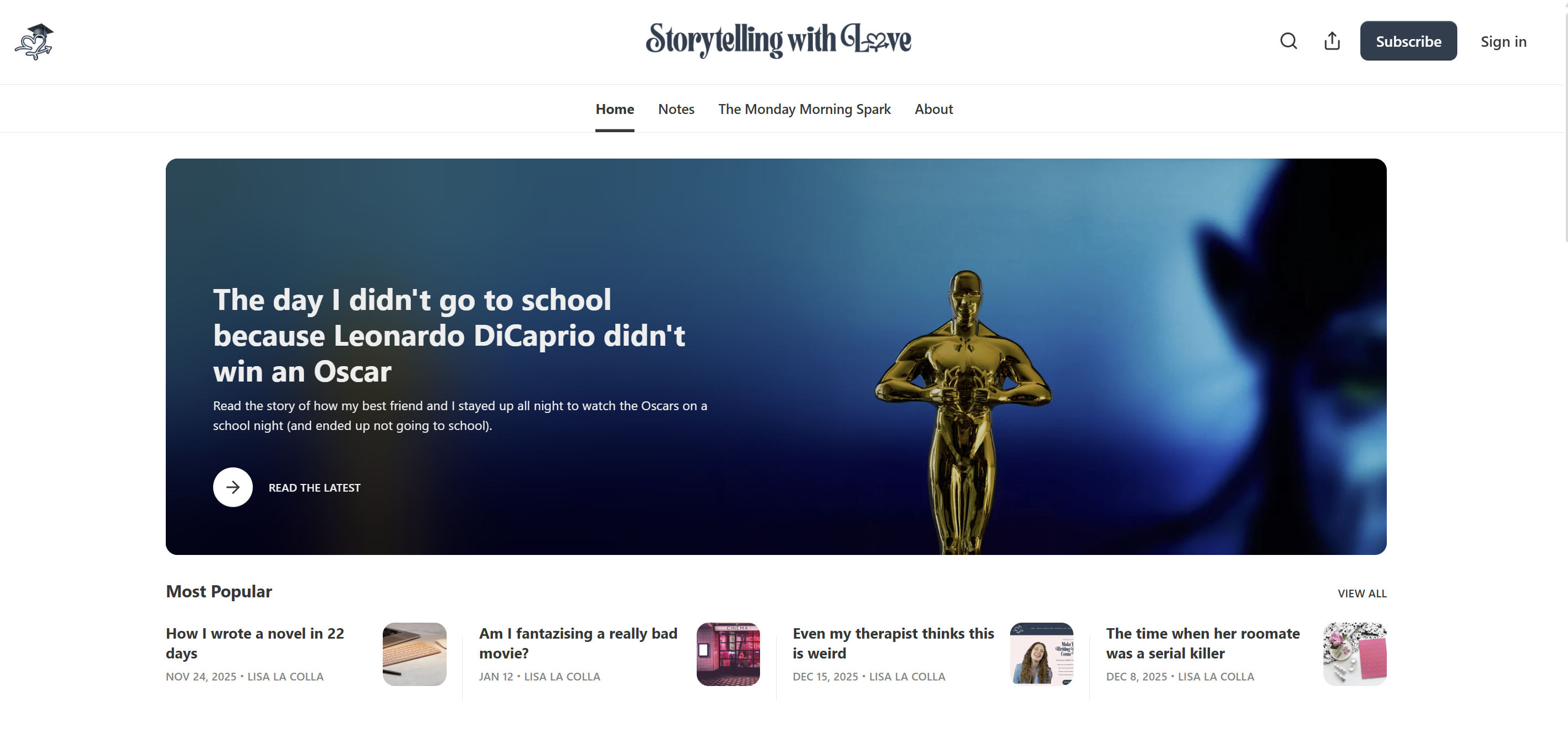
Substack offers a clean, minimal homepage that now serves as both my Newsletter and Blog archive.
It’s a great way to recycle and repurpose your content — presenting it to new audiences in a fresh format.
Of course, unless you invest time, energy, and a solid Substack strategy, you’re unlikely to go “viral” or grow massively there — but that’s not even my goal.
For a Writer and Creative Writing Coach like me, it’s a perfect place to host and share my writing content in a simple, elegant space that attracts readers who actually read.
Substack Prices:
It's free! And what I love the most? You can activate paid memberships and earn money directly from your writing.
That’s the kind of social media I can get behind.
10. Perplexity Pro
Yes, I’ll admit it: on more than one occasion, I’ve found myself locked in the bathroom, asking ChatGPT for advice about family dinner crises.
But when it comes to business, Perplexity Pro is my go-to tool.
It includes something called “Deep Research”, which means it doesn’t just invent answers — it provides grounded, sourced information.
It’s the tool that helped me write a historical novel in 22 days, completely free of anachronisms. Perplexity did the entire research process for me.
If you’re into design, it can also generate high-quality content, from logos to pictures — the results are honestly stunning.
But here’s the key: to get real value from AI, you have to know how to talk to the machine.
Everyone can type a question, but not everyone understands AI language.
And this has much more to do with language mastery than technology.
It’s a lesson I learned from my partner — he knows how to play with words and coax out exactly the result he wants from the system.
I keep telling him he should host a workshop about it, because the things he creates with Perplexity are just incredible.
(Of course, part of that magic also comes from his original ideas — the AI just helps him bring them to life.)
Perplexity Pro Prices:
Perplexity has a free version. If you want to go Pro they often release very convenient deals like €20/year. Go and do some research!
And that's a wrap!
I hope these tools can be useful for your own business. Feel free to comment behind, or send me any questions to lisa@storytellingwithlove.com!
With so much Love,
Lisa ❤︎
👉 If you love this website and would like a new one for yourself, inquire here
👉 If you want to get a personal story + 1 writing tip every Monday, subscribe
👉 If you want to chat with me face-to-face, book your discovery call
Let Me Introduce your new coach - me!
Hi, I’m Lisa La Colla!
I am a creative, empathetic, visionary writer, performer, business owner and coach.
(With an obsession over the color-palette of this website, but I'm healing).
I'm a Phantom of the Opera groupie, I can watch Friends like it's my first time and I yelled at a teacher who stated that characters don't exist (seriously, these people 🙄)
My mission is supporting writers and creatives to get their stories written and make them feel great about themselves. Because each story has the potential to change this world for the better.
Danger warning: I'll probably get emotional when you finish your story's first draft.
CREATIVE WRITING SERVICES

Live in Vienna
Writing your own book or play doesn't have to be something you keep postponing year after year. Check out my courses to get your work started today.
1:1 Coaching
Release the pressureby letting yourself spoiled by a compassionate Coach who's ready to unblock anything that's standing in your way to your writing dreams.
Templates Shop
Grab your templates today: get inside the Creative Writing Shop that makes you feel like inside your favorite Bookstore. Character questionnaire, Writing Warm-up, Scene Tracker and a lot more.

The most creative newsletter in your inbox
Join an exclusive community of creatives like you who get inspiration every Monday Morning with a personal funny story and the weekly writing tip about characters, dialogue, inspiration, plot, storytelling, writing rituals.